Automated Services are changing the way enterprises handle employee queries. However, more than 70% of digital employee experience initiatives will not deliver concrete results this year. This gap raises concerns because 67% of customers would rather use self-service solutions than talk to a representative. The numbers tell a similar story for HR tasks, where 79% of employees want self-service options.
Automated services in enterprises help users find information and complete tasks without human intervention. The 2025 Global State of IT Automation report reveals that 92% of organizations now provide self-service automation. Among these, 63% support more than 200 end-users. The data shows that 91% of customers prefer using a knowledge base to fix issues instead of asking for support. Many organizations still find it challenging to create self-service portals that can handle thousands of queries efficiently.
This blueprint shows you proven ways to manage 10,000+ queries through well-designed self-service portals. We will cover everything from understanding query experience to creating user-friendly interfaces and implementing AI-powered solutions. These strategies will help reshape your enterprise's approach to automated services.
Start with Empathy: Understand the Real Query Experience
Your automated services will succeed when you truly understand how employees look for information. Today's self-service customer support success rate stands at just 14%. This shows why you need empathy to guide your design choices. Here's how you can build a query management system that works for your employees.
Run employee trip-mapping workshops
Employee journey mapping shows every interaction between employees and your organization throughout their time with you. This method helps you spot ways to improve self-service experiences. Your trip-mapping should:
- Create a chronological chart showing each step of the employee experience
- Interview employees from different levels and time periods with the company
- Map out employment stages and what you want to achieve at each stage
These workshops help you spot moments when employees search for information or support. Trip mapping helps HR teams improve communication and make smart choices about automating common requests. You'll discover key moments when employees feel lost or disconnected, and you can offer help right when they need it.
Find the most problematic query types
Problem areas are moments in the customer trip that cause frustration and might lead to disconnection. Self-service barriers can pop up anywhere and create negative experiences. You can spot these issues by:
- Talking to your customer service team – they know things about employee problems that you won't find anywhere else
- Looking through support logs for common questions or complaints
- Checking website analytics for where people give up or spend too much time searching
- Watching real users work with your product to see problems as they happen
Different groups of users face their own challenges. Some younger employees prefer quick digital fixes, while others might want more personal help. Understanding these group-specific problems helps you create automated services that work for everyone.
Look beyond incoming calls to understand what users need. Surveys, clickstream analytics, and insight engines that track searches can tell you a lot. This all-encompassing approach makes sure you're fixing the real problems in your employees' query experience.
Use feedback loops to verify your ideas
A feedback loop keeps going round: you gather user input, study it, use it, and follow up—turning what you learn into useful improvements. Companies that listen and make changes based on user feedback grow faster and keep people loyal.
To create working feedback loops:
- Set clear feedback goals – know if you want fewer support calls, better UX, or guidance for your product plans
- Pick the right feedback tools – surveys, direct research, support tickets – that match your audience and goals
- Get different points of view regularly – listen to all types of users, not just the vocal ones
- Sort feedback into themes to find patterns and common issues
- Create an action plan and give tasks to the right teams
- Tell users about the changes you made because of their input
Many organizations miss what their users need because they see self-service mainly as a way to cut costs. Nearly three-quarters of consumers try self-service, but only 14% can solve complex problems on their own. Also, 72% will leave a website after struggling with self-service.
When you put empathy first in automated services, you create easy-to-use, helpful solutions that meet your employees' needs. Understanding their experience, finding problem areas, and verifying your solutions through ongoing feedback builds the foundation of your enterprise query management system.
Design a Unified Self-Service Interface
Your self-service portal's interface forms the foundation for all employee interactions. Research reveals that 80% of customers will switch to a competitor after one poor experience. A unified interface isn't just about design priorities—we need it for business success.
Avoid fragmented systems and link farms
Enterprise systems often look like digital mazes instead of helpful resources. Organizations used fragmented intranets or simple link farms before modern automated services portals. These systems had information but failed to present it in a user-friendly way. Employees felt overwhelmed and often avoided using HR systems.
The challenge lies in connecting information from multiple silos—product manuals, employee intranets, support articles—into one coherent experience. A unified search experience brings content from all sources into a single index instead of making users direct through disconnected systems with different logins and layouts. This central hub strengthens employees rather than leaving them lost.
Use consistent navigation and visual hierarchy
A well-laid-out portal interface puts clarity and ease of use first to improve satisfaction. These design principles matter:
- Clean web browser or application-based interface
- User-friendly organization highlighting commonly needed resources
- Prominent search functionality as the default starting point
- Clear navigation paths with minimal clicks to information
- Consistent color systems for important messages
Design should embrace minimalism—applications with fewer animations and high-graphic elements load faster and let users take action quickly. The right information architecture helps users find their way without extra effort. Simple labels like "My Requests," "Contact Support," and "Dashboard" reduce confusion. Clear active states help users know their location.
Support mobile-first and multilingual access
Modern workplace users just need 24/7 access to support resources on any device. A mobile-first approach will give your portal smooth operation across desktops, tablets, and smartphones. The Unified Interface design philosophy uses responsive web principles to deliver optimal viewing experiences for any screen size or orientation.
Start with the mobile design instead of creating a web experience first and adapting it. Smaller screens force businesses to focus on simplicity, clarity, and functionality by putting what matters most first. Users benefit from:
- Streamlined navigation through simple menus and intuitive icons
- Touch-friendly interfaces with larger buttons
- Faster page speeds—a vital factor in user satisfaction
- Better performance on both mobile networks and desktop connections
Global operations need multilingual capabilities. Your portal should detect user language priorities instantly and allow easy switching between languages. AI-powered search helps technical audiences find relevant information whatever their terminology variations or expertise levels.
Your automated services portal's strength comes from connecting everything employees need into one seamless experience. Unified tools and information create stress-free interactions that build trust and encourage repeated use.
Personalize the Portal for Contextual Relevance
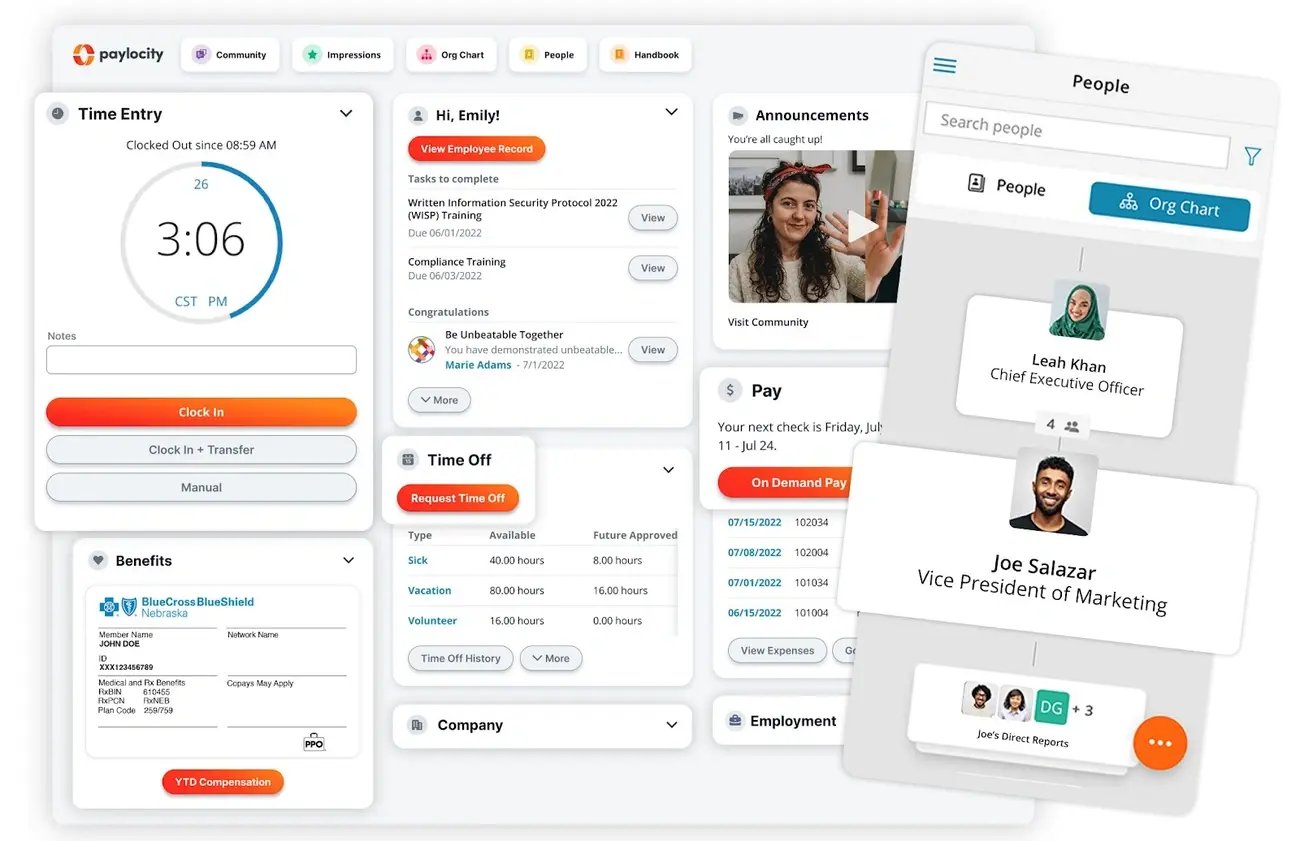
Image Source: TestGorilla
Tailored features turn standard automated services into powerful tools that deliver exactly what users need at the right moment. Research shows 77% of consumers choose brands that provide tailored experiences. This approach works just as well for enterprise self-service portals, where context relevance drives adoption and success.
Role-based dashboards for different departments
Role-based dashboards show relevant information for specific job functions in visual formats. Employees can understand their business, teams, and workflows right away. These displays remove the hassle of sorting through unnecessary information by showing content that matches each user's responsibilities.
The most effective role-based dashboards include:
- Pre-built views for different organizational roles (executives, department leaders, IT managers)
- Filtering capabilities by branch, department, or profit center
- Customizable reports that answer unique business questions
- Data quality visualization showing incomplete or incorrect information
These dashboards help promote accountability as team members track their progress against goals. Employees spend more time analyzing relevant data and less time searching when they have access to information that matters to their role. Quick access to saved dashboards through "favorite views" makes their workflow smoother.
Behavior-based nudges for incomplete actions
Behavior-based nudges utilize behavioral economics principles to guide users toward task completion. Digital nudges—"the use of user-interface design elements to guide people's behavior in digital choice environments"—boost engagement by a lot when used properly.
Studies show two types of nudges work best: daily tips and to-do checklists. One study revealed members who saw a to-do checklist completed an average of 2.7 course components compared to 1.52 components in the control group. Female participants clicked more checklist items than male participants.
Effective nudges should include:
- Daily tips with directive content or social proof
- To-do checklists for interactive components
- Present bias cues showing immediate benefits
- Smart categorization of common actions
Nudges work because they complement natural decision-making processes. Developers can guide users toward actions that line up with both user needs and organizational goals by understanding the heuristics and biases affecting online choices.
AI-powered search for immediate answers
AI-powered search capabilities lift self-service from simple information retrieval to contextual, tailored assistance. Modern search technologies understand intent rather than just keywords and deliver results that answer user questions.
AI search gives exact answers instead of links by using semantic search with contextual meaning. The technology learns from user behavior and search history to suggest personalized recommendations. Results get better with each new query as the system learns continuously.
Enterprise environments benefit from AI search in several ways:
- Higher deflection rates through tailored, actionable answers
- Unified search experiences across portals, mobile apps, and virtual agents
- Multilingual support for global operations
- Automated content suggestions that fill knowledge gaps
The best implementations create answers directly from trusted knowledge bases. Employees find information faster with better filtering. These systems analyze conversations as they happen and craft AI-generated replies from trusted sources that agents can share instantly or edit before sending.
Your portal becomes a truly intelligent support system when you add role-based dashboards, behavior-based nudges, and AI-powered search. This combination creates a self-service experience that anticipates needs and provides relevant assistance.
Build for Engagement, Not Just Access
Building automated services requires more than just making information accessible. Top enterprises know this and focus on creating experiences that make employees want to return. A newer study, published by Gartner shows that 79% of employees prefer to handle HR tasks through self-service options. However, without design that promotes engagement, adoption rates often fall short.
Embed recognition and milestone tracking
The best self-service portals connect employees to your organization's values by integrating recognition into their interface. Recognition isn't just an optional feature—it optimizes engagement. Organizations with strong recognition programs see 44% higher employee engagement and keep 31% more staff.
Here are some ways to boost engagement:
- Personalized moments that help employees feel valued and seen
- Achievement badges for completing training or contributing to knowledge bases
- Milestone celebrations that mark work anniversaries and important dates automatically
- Peer recognition tools that let colleagues appreciate great work
These elements are the foundations of a culture where appreciation becomes visible and meaningful. Yes, it is proven by platforms like Motivosity that employees feel more connected and motivated when recognition links to real value. All the same, recognition should feel genuine—automated yet personal—to create true engagement.
Enable seamless task completion flows
Self-service success comes down to the gap between accessed information and completed tasks. Microsoft's Employee Self-Service Agent shows this through its "one-stop shop" approach. Employees can handle HR tasks, IT support, and facilities requests through one interface.
This unified system eliminates the need to remember multiple tools or websites—an AI-powered interface handles everything. Task completion becomes the key ROI metric, aiming to cut support tickets by at least 40%.
Self-service automation enhances experiences by giving users control over automated processes. The most effective systems skip unnecessary confirmation checks by connecting with productivity applications. Successful portals let users:
- Complete workflows in minimal steps
- Upload supporting documents within the interface
- Get immediate confirmation instead of waiting days
Use micro-interactions to reduce friction
Small, subtle design elements called micro-interactions turn standard automated services into delightful experiences. These design touches substantially affect engagement by offering immediate feedback and stopping errors before they happen.
Micro-interactions serve several vital functions: they welcome users, teach them about features, provide visual feedback, and reward actions. To name just one example, inline form validation tells users right away if information is incorrect, which saves time on manual checking.
Adding celebration animations after task completion brings in game-like elements that encourage users to do more. Of course, Asana demonstrates this well with their flying unicorn animation that appears when users finish tasks, which keeps them coming back.
The right kind of friction—slowing users briefly to help them move faster later—can boost engagement through the IKEA effect. This cognitive bias shows people value things more when they help create them, making guided interaction essential for adoption.
These engagement elements aim to create an experience that feels more like a digital home and less like a corporate portal, reflecting your company's values and culture.
Track What Matters: Metrics for Portal Evolution
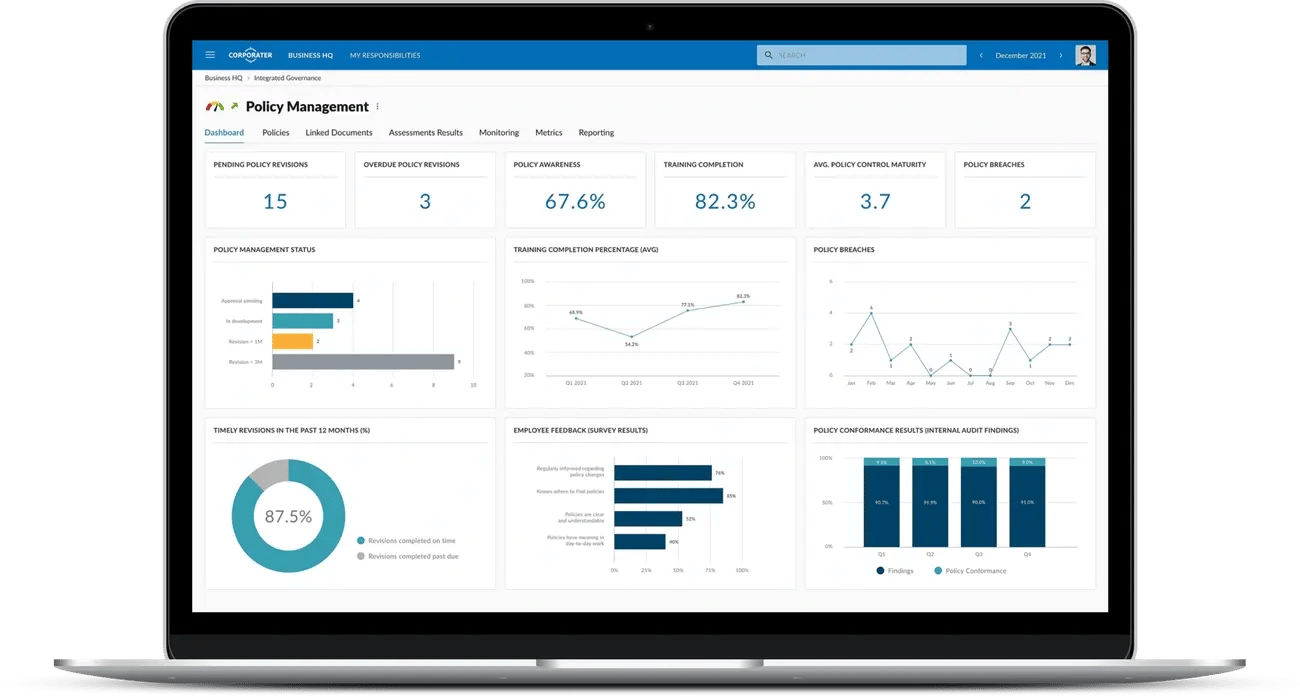
Image Source: Corporater
Your automated services portal needs specific metrics to track actual user behavior rather than assumptions. You won't spot bottlenecks or areas of improvement without understanding how employees use self-service tools.
Monitor return visits and task completion rates
The self-service completion rate shows what percentage of incidents users resolve without live agent help. This rate serves as a key metric for portal effectiveness. To cite an instance, when your service desk handles 4,000 monthly incidents through traditional channels and users solve another 1,000 through self-service, your completion rate is 20%. The industry average stands at 10.4%, while top organizations reach rates up to 55%.
These critical metrics deserve your attention:
- Abandonment rate: Users who leave sessions without finding answers
- Escalation rate: Users who skip the portal to reach agents directly
- Recontact rate: Users who visit again for the same issue, which points to unresolved problems
Task completion tracking shows whether users meet their goals or just browse information. This difference determines your portal's true ROI.
Analyze search queries and knowledge gaps
Search analytics help you learn about user needs and content gaps. Users start one in four knowledge base article views through search. This makes search effectiveness crucial for self-service success.
Two key search measurements stand out:
- Click-through rates (CTR): Show how well search results match what users want
- Zero search results: Point out where content might be missing
A dashboard shows topics that lack proper knowledge coverage. You can create and assign tasks to fill these knowledge gaps based on the data. Better content leads to higher deflection rates as users find answers on their own.
Use no-code tools for rapid iteration
Your chances to improve automated services stay limited without up-to-the-minute data analysis. Performance Analytics applications let you build and analyze self-service metrics from every available signal. Leaders can spot and fix delays early with dashboards that track completion rates, cycle times, and overdue tasks.
No-code platforms make it possible to:
- Update dashboards quickly based on user feedback
- Combine analytics from multiple support channels
- Create cross-functional reports that turn data into useful insights
ServiceNow suggests using dashboards to measure how well your knowledge base reduces live support interactions. But as self-service completion rates go up, remaining agent-assisted incidents tend to be more complex and take longer to handle, which might increase per-incident costs. This metric change reflects simpler issues moving to automated services.
Your analytics strategy should grow with your portal. Keep measuring what matters most to your organization's goals and growth plans.
8 Proven Methods for Managing 10,000+ Queries
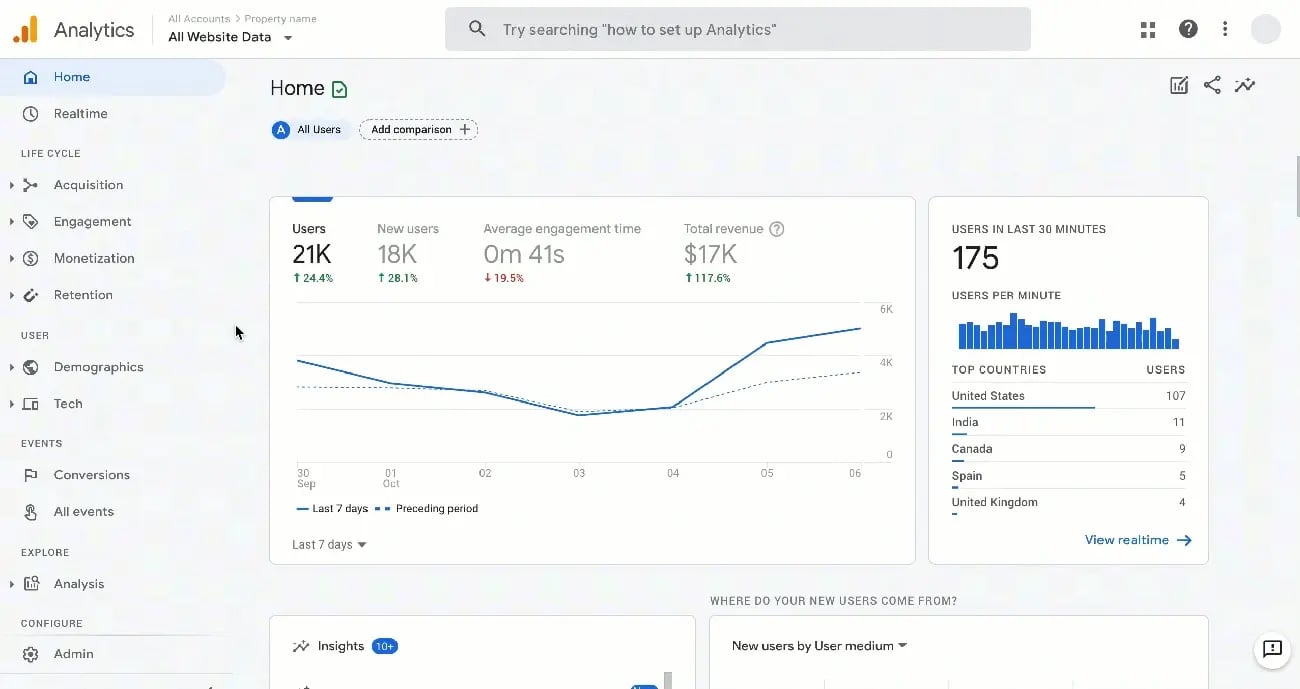
Image Source: Userpilot
Your automated services framework needs specialized tools beyond simple ticket systems to handle high-volume queries. Here are eight proven methods that can help you handle 10,000+ queries quickly:
1. Smart categorization using AI tagging
AI-based auto-tagging systems process thousands of items in minutes with over 90% accuracy. The systems analyze unstructured data and assign relevant metadata tags. This makes information searchable instantly by key terms.
2. Predictive search with NLP
Predictive search technologies analyze keystrokes and provide relevant suggestions before users finish typing. The systems use natural language processing to understand contextual meaning. They detect patterns in user behavior and search history to make content easier to find.
3. Auto-routing based on query type
Smart routing systems analyze incoming questions and direct them to the right resource—whether that's a human agent, chatbot, or specialized AI—based on complexity and type. This matches query complexity to the right solution level and balances cost with performance.
4. Real-time chatbot escalation
Smart escalation systems know when to move conversations from chatbots to humans. Multiple failed responses, user frustration signs, or complex technical issues trigger these transfers. The best systems keep conversation history and check agent availability before switching.
5. FAQ auto-suggestions from query logs
FAQ generation refreshes answers based on actual user queries continuously. The system picks up new questions from search logs. Analytics help highlight the most requested information.
6. Role-based access to query history
Role-based dashboards show employees only information relevant to their work. This eliminates time wasted looking through irrelevant data. This structured approach to what is automated services makes access smooth while keeping information secure.
7. Query deflection via knowledge base
Knowledge bases cut down support tickets by letting users help themselves. One person submits a support request for every four customers who solve issues on their own—showing a 4:1 deflection rate. Contact forms with pre-submission search suggest solutions as users describe their problems.
8. Analytics dashboard for query trends
Analytics dashboards turn query data into useful insights by tracking search patterns and spotting knowledge gaps. Searches with zero results point to missing content. This helps you improve your self-service resources constantly.
Conclusion
This blueprint shows how automated services reshape enterprise query management from a reactive burden into a proactive asset. Without doubt, organizations implementing these strategies can handle thousands of queries while boosting employee satisfaction.
Exceptional self-service starts with genuine empathy. You can learn about pain points that need attention by listening to your employees and mapping their experiences. This knowledge helps you design unified interfaces that eliminate the frustration of fragmented systems.
Personalization is maybe even the most powerful element in modern self-service portals. Role-based dashboards, behavior-based nudges, and AI-powered search create customized experiences for each employee that boost adoption rates.
Employee engagement is the true key to self-service success, not just access. Recognition features, smooth task completion flows, and thoughtful micro-interactions help create digital environments where employees want to spend time.
Complete metrics tracking shows what works and areas needing improvement. Task completion rates, search analytics, and knowledge gap identification enable continuous development instead of static implementation.
The eight proven methods - from AI tagging to analytics dashboards - offer practical techniques to scale your self-service capabilities. These approaches create an integrated system rather than isolated tactics.
Enterprise query management doesn't need to overwhelm support teams or frustrate employees anymore. A well-laid-out self-service portal built on these blueprint principles handles thousands of queries while improving employee experiences and operational efficiency.
Your organization has the knowledge employees need—automated services make that knowledge available, engaging, and applicable. This blueprint provides the framework to connect information with employees and create self-service experiences that work at enterprise scale.
Trusted by 330+ CHROs
See why global HR teams rely on Amber to listen, act, and retain their best people.
