HR automation isn't just another buzzword—it's a real lifesaver for overwhelmed HR professionals. SHRM reports that HR teams lose 4 hours weekly to draft documents. That's half a workday buried in paperwork!
The future looks bright. HR process automation tools cut down 80% of time needed for offer letters, employment contracts, and onboarding materials. These tools guarantee accuracy and consistency while saving precious hours.
You'll love this part. Smart HR teams use automation to boost their document quality, not just churn them out faster. This piece walks you through 15 key HR documents that automation can create in minutes. Your time will thank you in 2025 and beyond.
Offer Letters
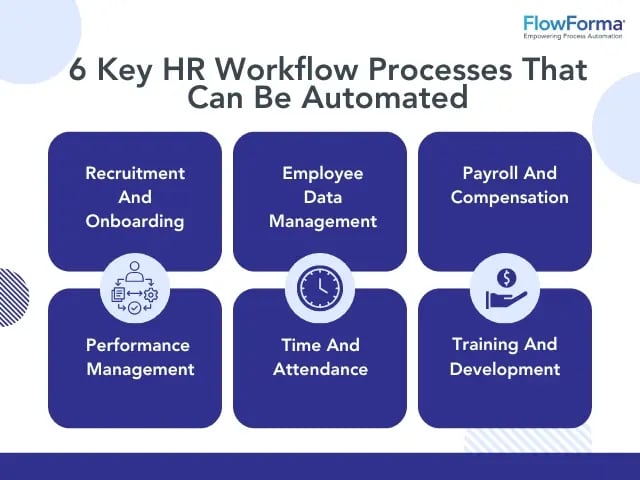
Image Source: FlowForma
A candidate's excitement peaks after accepting a job offer. Most companies take two to three weeks to generate an offer letter - nowhere near fast enough to keep that original enthusiasm. Offer letter automation solves this problem by delivering offers quickly while you retain control and compliance.
Key Fields in Offer Letters
A well-crafted offer letter has several significant elements:
- Job title and description
- Manager's name and title
- Start date and workplace location
- Salary and potential additional compensation
- Benefits package details
- Employment contingencies
- At-will statement
- Expiration date
These components set clear expectations and create a written record both parties can reference.
Offer Letters Automation Workflow
The automation process starts with role-specific templates you can reuse. Position requirements determine approval paths - some roles need one approval while others need multiple stakeholders. The system triggers notifications for specific actions instead of manual status checks. Electronic signatures complete the process by creating a proper audit trail.
Best Practices for Offer Letters
Clear communication is a vital part of crafting offer letters. Break down compensation details and clearly state the job title, reporting structure, and department. On top of that, each offer should highlight the candidate's unique qualities and address their specific career goals.
Common Offer Letter Mistakes
Companies often make expensive mistakes in their offer letters. Stating compensation as an annual salary can suggest a guaranteed employment term. Missing "at-will" employment statements might create legal issues. Using unclear language about benefits or company policies could lead to misunderstandings later.
Tools to Automate Offer Letters
Several platforms make the offer letter process efficient. Zoho Recruit lets users create custom templates for different job types, automatically fills key fields, and tracks every stage of the offer lifecycle. MokaHR's AI-powered automation workflows are no match for traditional methods, having reduced time-to-hire by up to 63%. Workday Recruiting, Greenhouse, and Lever are other popular options.
Employment Agreements
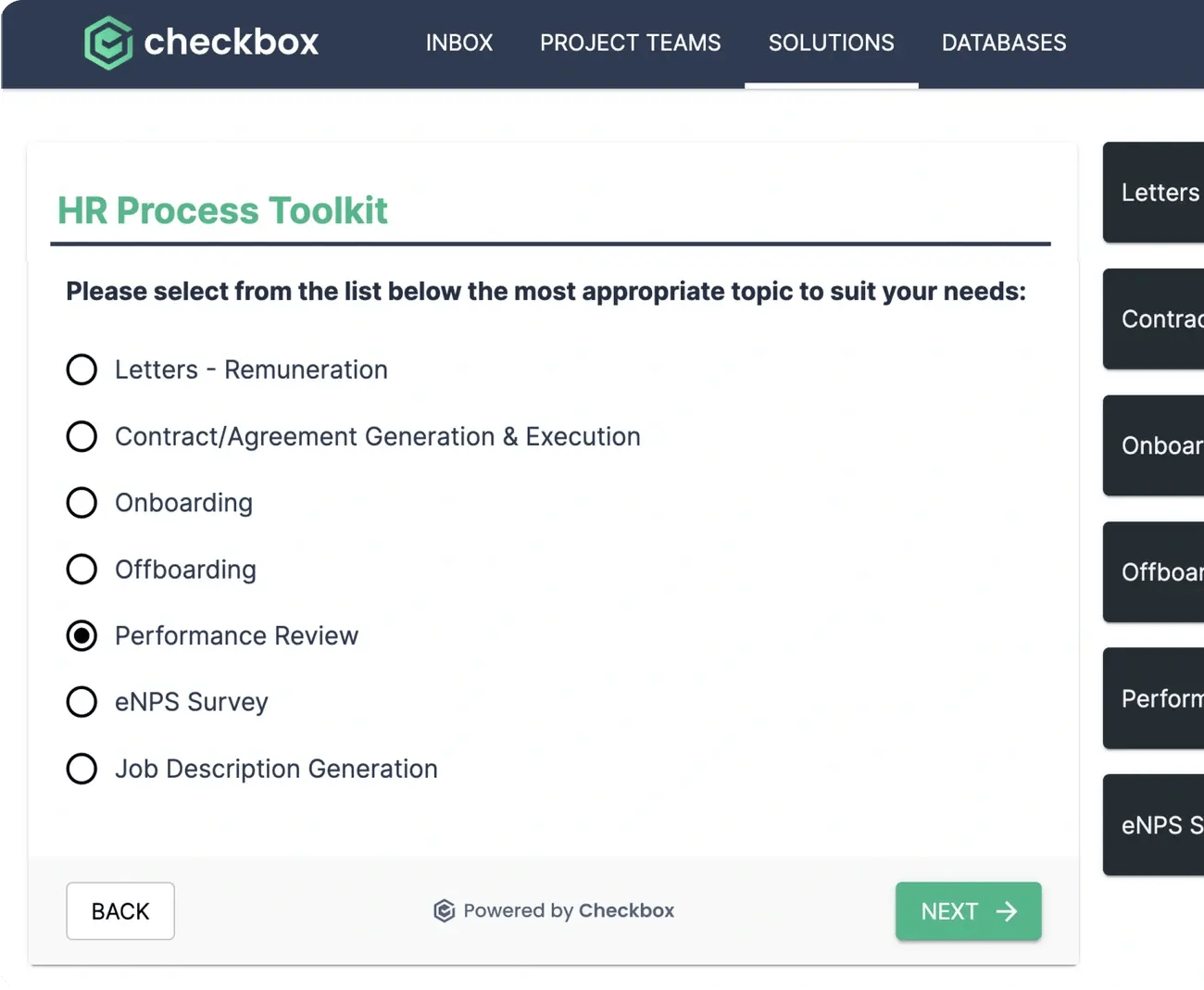
Image Source: Checkbox
Employment agreements are the foundations of the employer-employee relationship. HR teams used to spend up to 3 days creating these significant documents manually. HR automation now helps generate them in about an hour.
Key Fields in Employment Agreements
A compliant employment agreement needs these vital elements:
- Type of work with a brief description
- Wage conditions (including bonuses and additional remuneration)
- Place of work (can include multiple locations if specified)
- Probationary period terms (if applicable)
- Duration of employment (fixed-term or permanent)
Employment Agreements Automation Workflow
The automation process works in four main stages. Teams start by creating standardized templates for different employment types. They set up approval workflows that route agreements to HR, legal teams, and management. The system combines smoothly with HRIS to populate employee data automatically. The final step adds secure eSigning capabilities to complete documents.
Best Practices for Employment Agreements
Clear and precise language makes employment agreements work better. Job responsibilities need explicit definitions to prevent future disputes. The wage conditions should cover all forms of compensation. The agreements should include anti-obsolescence language to stay valid despite changes in position or compensation.
Common Employment Agreement Mistakes
Contract errors can cause serious problems. The biggest problem is not providing "fresh consideration" when adding new terms for existing employees. Invalid fixed-term provisions that don't follow local labor laws create another issue. The whole agreement becomes invalid if teams miss or incorrectly state basic elements like work location.
Tools to Automate Employment Agreements
Many platforms simplify the employment agreement process. LEDGERS automates drafting, eStamping, and eSigning while ensuring regulatory compliance. Juro's Contract Lifecycle Management (CLM) manages everything from creation to post-signature tracking. Cflow provides centralized documentation and simplified approval workflows built specifically for employment contracts.
Job Descriptions
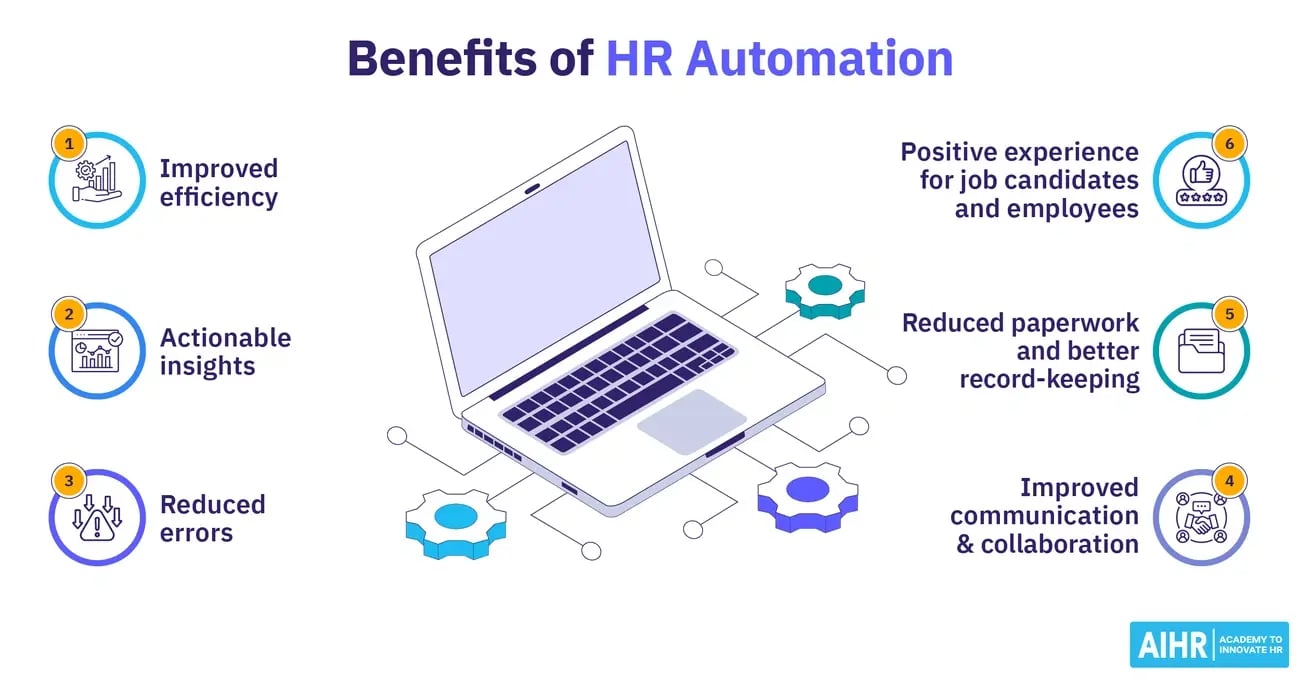
Image Source: AIHR
Job descriptions are the life-blood of effective recruitment. Many organizations write vague descriptions that fail to attract qualified candidates. Research shows 38% of job postings contain confusing jargon.
Key Fields in Job Descriptions
A well-written job description should contain these essential elements: The job title needs to be clear and descriptive. Role responsibilities must be precise. Qualifications and skills should be clearly listed. The core team structure matters too. Details about location and work arrangements are crucial. Adding a compensation range helps candidates decide. The description should also show what makes your company culture special.
Job Descriptions Automation Workflow
The process starts with a deep look at industry standards and company needs. AI-powered systems can then create job descriptions that line up with what your organization wants. These descriptions get optimized to show up in searches better and remove bias before final approval and publishing.
Best Practices for Job Descriptions
Candidates take about 49.7 seconds to scan a job ad before deciding to apply. This makes being specific about responsibilities crucial. Simple language works better than technical acronyms or buzzwords. The team's input is valuable because they know the role inside out.
Common Job Description Mistakes
Several mistakes can hurt job description effectiveness. Taking content from other companies ranks as one of the worst errors and hurts your brand. Job descriptions that don't spell out responsibilities clearly leave applicants confused. Companies also lose top talent when they fail to promote both the position and their organization.
Tools to Automate Job Descriptions
Modern platforms offer robust automation features. Workable gives you thousands of curated ideas to create custom job descriptions. Jasper helps write content while keeping your brand voice consistent. SnipperAI creates role-specific descriptions 60% faster than writing them by hand.
Onboarding Documents
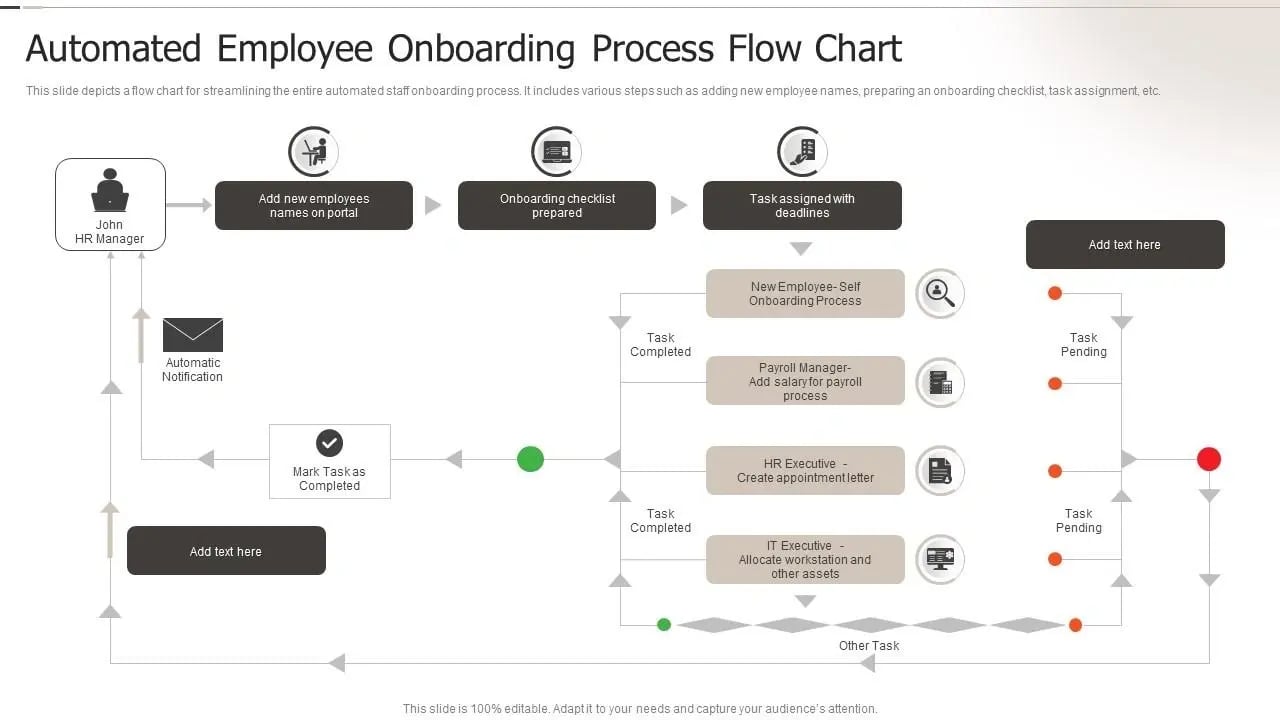
Image Source: SlideTeam
Bringing new employees into an organization involves paperwork that takes up significant time. The good news? Onboarding document automation has changed the game—tasks that once took weeks now take days or minutes.
Key Fields in Onboarding Documents
A complete onboarding documentation package needs:
- Welcome materials and company introduction
- Tax and payroll forms (W-4, I-9, direct deposit)
- Benefits enrollment forms
- Technology policies and acknowledgments
- Employee handbook acceptance
- Emergency contact information
- Training enrollment documentation
Onboarding Documents Automation Workflow
Triggers and actions drive the automation process. To cite an instance, see how a new hire's technology policy acknowledgment (the trigger) signals IT to prepare their laptop (the action). This system covers preboarding activities between acceptance and start date, document management with compliance audit trails, team coordination, communications, and learning development integration.
Best Practices for Onboarding
The employee experience starts before day one. Your team should send welcome packets and set up hardware through pre-boarding. The first day should feel special with a warm welcome and an assigned onboarding buddy. Information overload becomes less likely if you spread key processes across a week or more and create a "New Employee FAQ" page.
Common Onboarding Mistakes
Companies often struggle with their onboarding process. Delayed starts leave employees feeling lost and disconnected. Poor structure and lack of preparation create bad first impressions, with 33% of employees reporting negative onboarding experiences. Unclear goals and expectations deflate enthusiasm and lead to poor performance. The process suffers when cultural and generational differences get overlooked.
Tools to Automate Onboarding
Modern platforms simplify document processing significantly. IBM watsonx Orchestrate helps create standardized experiences while setting up accounts for new employees. Document automation tools create essential paperwork—from intake forms to welcome letters—by pulling data from your CRM or other systems. These complete systems track metrics like time-to-completion and employee satisfaction that help pinpoint areas needing improvement.
Employee Handbooks
Your employee handbook protects your company legally and shows your culture—but it only works if you keep it updated. The numbers tell the story: 12% of organizations report monetary consequences from handbook errors, which include legal fees and settlements.
Key Fields in Employee Handbooks
A complete handbook should cover:
- Welcome statement and company's values
- Code of conduct and anti-harassment policies
- Required legal policies and disclaimers
- Compensation and benefits details
- PTO and leave policies
- Technology and data security guidelines
- Acknowledgment form
Employee Handbooks Automation Workflow
The automation process starts with simple questions about your business type and where your employees work. Based on applicable laws, the system creates a customized handbook. The workflow makes shared access possible through public links or employee portals. Team members can log in, review, and sign—which ensures both compliance and accountability.
Best Practices for Handbooks
Clear, inclusive language stands out as essential—we want to match an 8th to 10th-grade reading level. The core team should review federal, state, and local employment laws before writing content. Laws change faster these days, so schedule yearly reviews to keep policies current. HR, legal, and leadership teams should work together to provide complete input.
Common Handbook Mistakes
Employers often stumble in several ways. Legal compliance can fill handbooks with jargon that stops employees from reading guidelines. Companies blindly copy old templates instead of adapting them to their needs. Decision-makers need proper training to interpret handbooks, or policies won't be applied consistently.
Tools to Automate Handbooks
SixFifty creates handbooks that fit where your employees work, covering all 50 states and major city-specific laws. Brightmine's AI is nowhere near as comprehensive—it analyzes existing handbooks and expresses missing or recommended content based on current regulations. V7 Go offers quick results by processing complete employee handbooks in 30-60 minutes and creates searchable policy databases instantly.
Leave Policy Documents
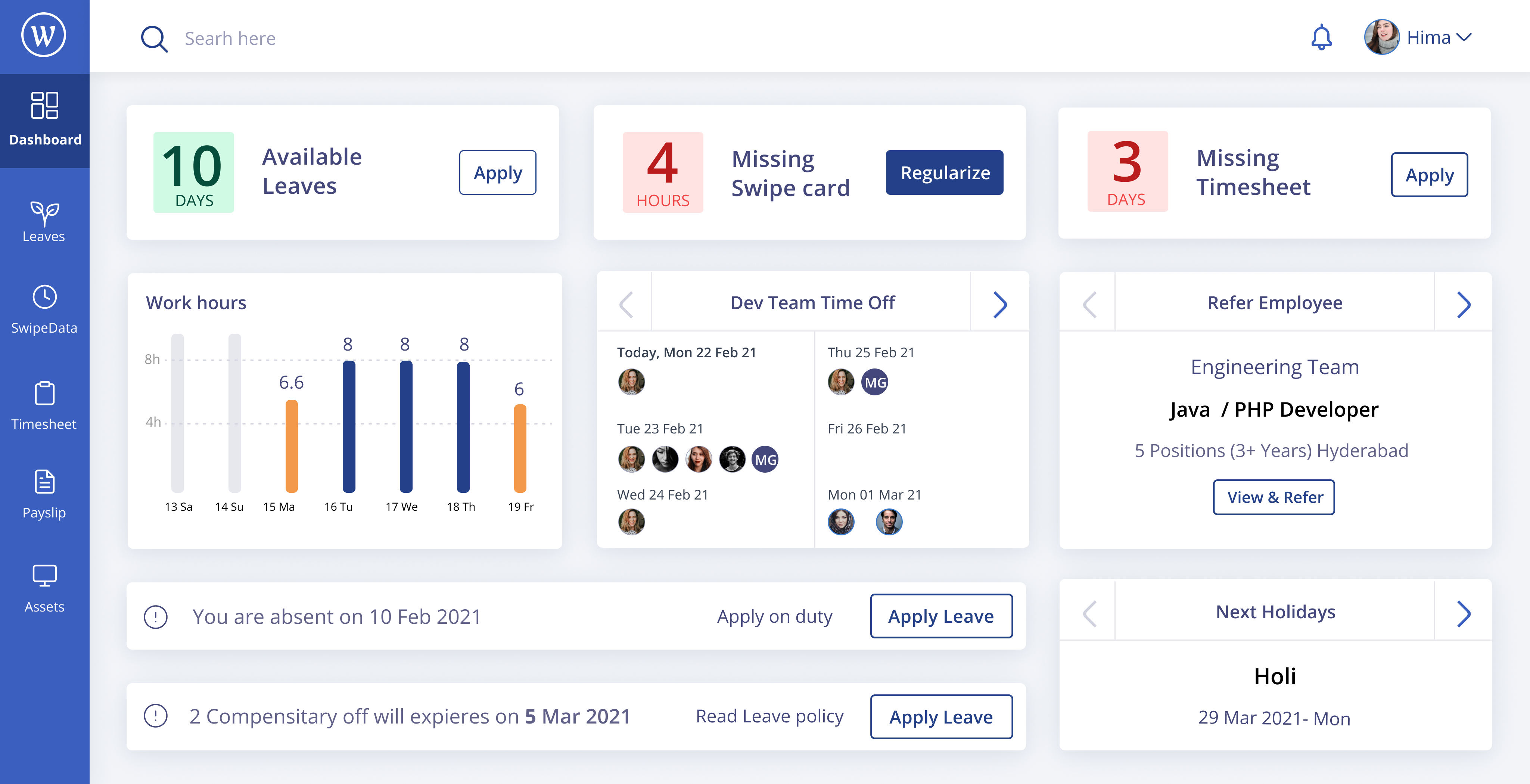
Image Source: Figma
Leave management plays a vital role in workforce planning. Poor time-off processes can create chaos, stagnation, and end up causing inefficiency in organizations. 62% of companies report payroll inaccuracies due to improper leave tracking.
Key Fields in Leave Policies
A well-laid-out leave policy must clearly define:
- Leave types (vacation, sick, maternity, parental, bereavement)
- Eligibility criteria and accrual rules
- Documentation requirements for different leave types
- Notice periods and approval criteria
- Blackout dates and special considerations
Leave Policy Automation Workflow
The automation process starts with policy configuration in your HR system. Employees submit requests digitally after setup. This triggers automatic routing to appropriate approvers. The system then updates leave balances, syncs with payroll for accurate calculations, and maintains complete records for compliance reporting.
Best Practices for Leave Policies
Your policies should be available through employee portals. Compliance plays a crucial role - your system must stay updated with regional labor laws to avoid legal issues. Regular analysis of leave data helps identify patterns that enable better workforce planning. The core team should promote taking time off to maintain employee wellbeing.
Common Leave Policy Mistakes
Organizations often lack formal request policies, which creates confusion among employees. There's another reason for concern - using manual tracking methods like spreadsheets invites errors and inefficiencies. Companies sometimes fail to set clear approval hierarchies, which causes delays and conflicts. Poor policy communication results in misunderstandings and potential compliance issues.
Tools to Automate Leave Policies
Qntrl gives you centralized tracking with up-to-the-minute data analysis for monitoring all request statuses. Superworks gives an explanation of leave patterns through analytics to help with workforce planning. Kissflow's AI-powered routing automatically directs requests to appropriate approvers. These platforms merge with payroll systems to enable accurate calculations.
Performance Review Forms
Performance reviews help employees grow and develop, but old-school methods take up too much HR time. HR automation has transformed this process and cut down the 45 hours wasted annually on flawed reviews. This new approach gets better results and more accurate assessments.
Key Fields in Performance Reviews
A good performance review form needs these elements:
- Performance metrics that match company goals
- Skills and competency checks
- Goal tracking
- Development plans
- Feedback from peers and managers
- Self-assessment sections
- Well-defined rating scales
Performance Review Automation Workflow
The automation process starts with a simple workflow editor to set up review templates. The system then sends notifications to everyone based on set schedules. Employees write their self-assessments while their coworkers give feedback during active reviews. Managers look at all this information before review meetings. The system then creates custom appraisal letters that include salary updates.
Best Practices for Reviews
Yearly reviews often don't improve performance, so tracking progress throughout the year leads to better evaluations. Goals that line up with organizational objectives show employees how their work fits into the bigger picture. Standard templates also make assessments fairer across all departments.
Common Review Mistakes
Companies often make mistakes that get pricey during performance evaluations. The "recency error" happens when managers focus too much on recent events and ignore long-term work. The "halo effect" is another problem where one good trait makes all ratings look better. Rating everyone as average—called central tendency error—makes it hard to spot top performers. Too much focus on attitude instead of skills can also hurt quiet but effective workers.
Tools to Automate Reviews
Some platforms make performance management much easier. Synergita handles everything from starting reviews to delivering appraisals, with flexible workflows and forms. PeopleBox combines OKR tracking, automatic feedback collection, and smart insights about strengths and areas to improve. PerformYard offers social recognition features, and Formstack automatically creates detailed performance reports.
Promotion Letters
A well-crafted promotion letter boosts employee morale and creates lasting positive effects in your organization. Your team deserves timely recognition, and automated promotion processes make documentation quick and efficient.
Key Fields in Promotion Letters
A complete promotion letter must include:
- Congratulatory message to the employee
- New position title and department
- Updated responsibilities
- Revised compensation details
- Effective date of promotion
- Acknowledgment of achievements
Promotion Letters Automation Workflow
The automation process starts with a Google Docs template that has placeholders for employee details. HR teams can link their spreadsheets to fill these fields automatically. The system creates tailored letters that stay consistent for all promotions. The approval process then routes these documents to the right people before they reach employees.
Best Practices for Promotions
Your company's letterhead and a structured format help maintain professionalism. The new role expectations and compensation changes need crystal-clear communication. A personal note about the employee's specific achievements makes the recognition more meaningful.
Common Promotion Mistakes
Vague language in promotion letters leads to confusion and misunderstandings. Missing details about salary changes or start dates cause problems. The letter becomes invalid without an authorized signature or company stamp.
Tools to Automate Promotion Letters
Microsoft Power Automate links Word and Excel to optimize promotion letter creation. Jotform turns basic form inputs into professional PDF promotion letters with your brand elements. Pabbly Connect offers wider system integration and generates letters automatically when employee records change in connected systems.
Confirmation Letters
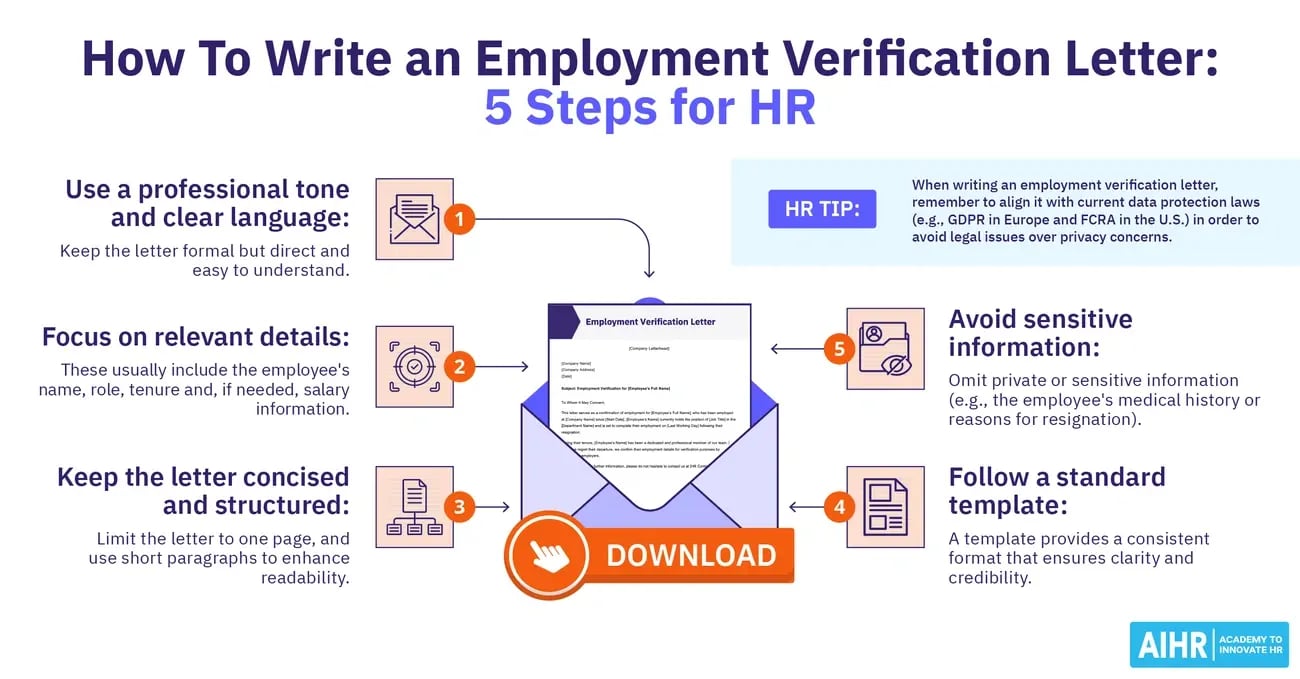
Image Source: AIHR
Confirmation letters verify important employment milestones. Transactional emails for these letters achieve 60% open rates and 35% click-through rates. These documents play a vital role throughout the employee's journey.
Key Fields in Confirmation Letters
A confirmation letter must include:
- Employee identification details (name, ID, department)
- Evaluation period references
- Performance summary
- Clear confirmation statement
- Future expectations and goals
- Updated compensation information (if applicable)
- Official signature and contact information
Confirmation Letters Automation Workflow
The automation starts when an employee completes their probation or meets their KPIs. The system pulls performance data from connected sources automatically. Templates get populated with specific employee information. Electronic signatures complete the documentation process properly.
Best Practices for Confirmations
Quick delivery prevents uncertainty among recipients. The letters should match company branding with consistent colors and logos. Mentioning specific achievements builds credibility in the content.
Common Mistakes in Confirmations
Letters often use unclear language that fails to state performance standards. Missing information about new responsibilities or reporting changes creates bigger problems. Different formatting styles across departments make communications look unprofessional.
Tools to Automate Confirmation Letters
Python-based Letter Generators create properly formatted letters automatically. Omnisend provides comprehensive confirmation messaging with built-in triggers.
Exit Interview Forms
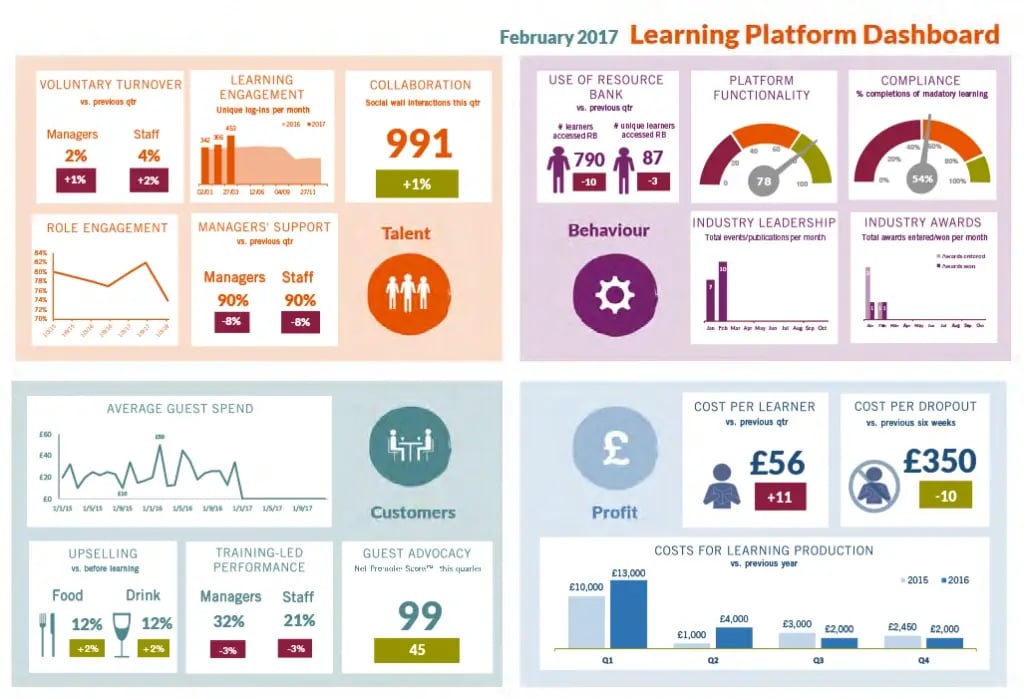
Image Source: Qualaroo
Exit interviews are a great way to get insights if done right. Research shows that external companies conducting exit interviews get feedback that is different from internal responses 100% of the time.
Key Fields in Exit Interviews
A complete exit form should cover:
- Reason for departure
- Management relationship assessment
- Workplace culture evaluation
- Company recommendation likelihood
- Role satisfaction metrics
- Specific improvement suggestions
Exit Interview Automation Workflow
The process begins with HRIS integration that triggers automatic surveys when employees resign. The system uses customizable templates to collect responses through email or text. AI-powered analysis spots patterns and highlights concerns. The system then creates action-focused reports for leaders to review.
Best Practices for Exit Interviews
The timing of exit interviews is vital—those done 2-6 weeks after departure give better, balanced feedback. On top of that, using external providers increases response rates by 40%. Response rates go up even more when employees can choose between online surveys and phone interviews.
Common Exit Interview Mistakes
Companies often gather exit data during termination when emotions are high. Direct managers conducting interviews stop honest feedback. Questions that are too vague lead to useless data. The whole process becomes meaningless without analyzing the results.
Tools to Automate Exit Interviews
ExitPro has unique experience spanning 20+ years across 6 continents in 22 languages. People Element lets you create custom surveys with detailed analytics. Empxtrack gives you adjustable workflows and survey forms with practical dashboards.
Termination Letters
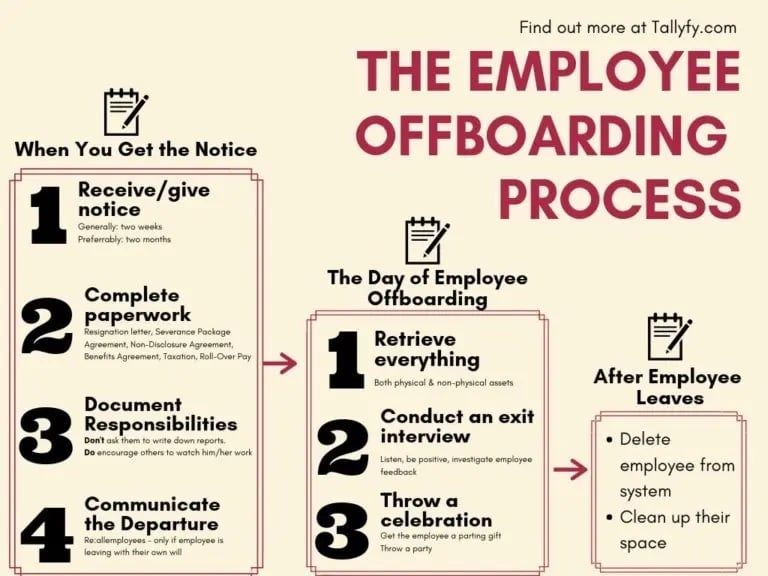
Image Source: Tallyfy
Documentation plays a vital role when ending employment relationships. A good termination letter protects both parties and sets clear expectations that help alleviate legal risks.
Key Fields in Termination Letters
Every effective termination letter should contain these essential elements:
- Precise termination date
- Clear explanation for dismissal
- Final pay and benefits details
- Company property return requirements
- Post-employment obligations
Termination Letters Automation Workflow
The process starts with selecting the right pre-built templates. You need to customize the termination letter by changing fields and adjusting layouts. The next step defines workflow steps and integration points. Automation bots handle document routing and data pre-filling. Privacy settings and notifications ensure proper distribution.
Best Practices for Terminations
Private locations work best for termination meetings. This allows employees to exit gracefully. A prepared script helps you stay on track. You should present any relevant disciplinary documents that support the termination reason. The core team must clearly explain compensation details, final pay dates, and benefit continuation information.
Common Termination Mistakes
Legal exposure increases with poorly written termination letters. Many employers don't include all termination reasons in their documentation. Some use emotional or apologetic language that suggests guilt. Missing details about final pay or benefits create unnecessary problems.
Tools to Automate Termination Letters
AirSlate WorkFlow comes with pre-made templates and drag-and-drop features. HR teams can automate document tasks easily. Checkbox.ai lets users generate termination letters through self-service portals with compliance features. AutoDocCreator links to databases and fills employee information automatically.
Training Completion Certificates
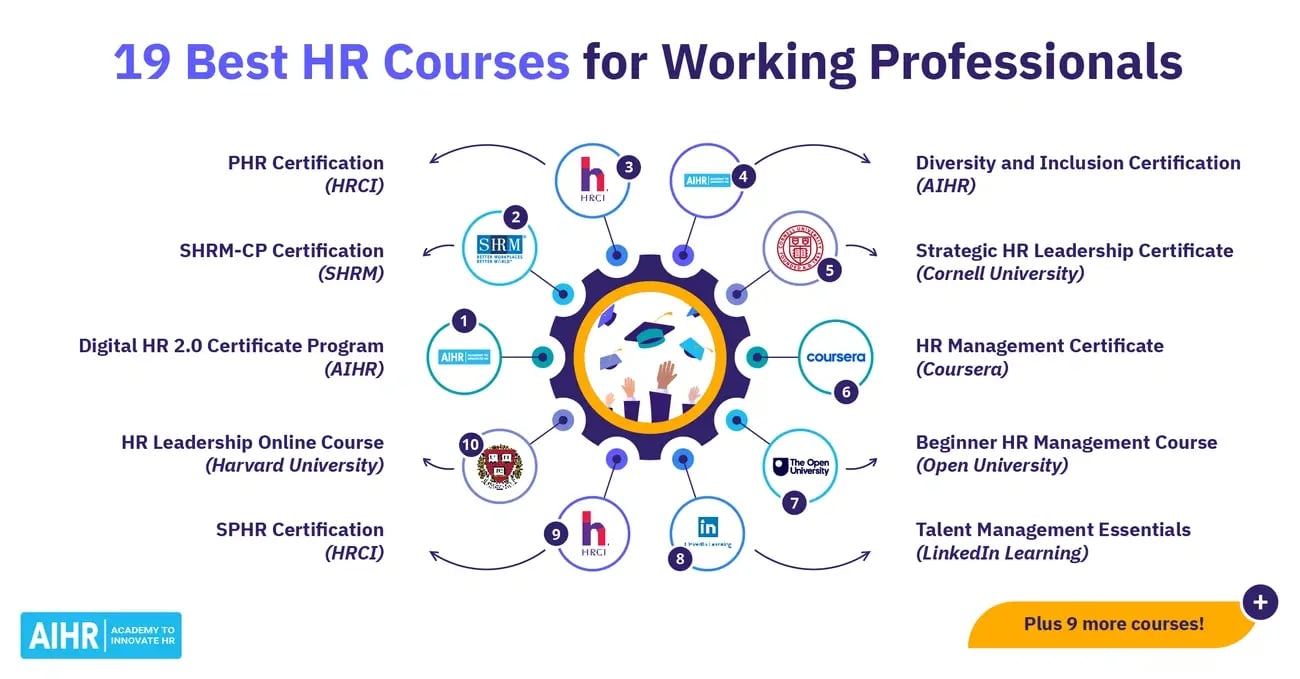
Image Source: AIHR
Training completion certificates prove employee skill development. Manual generation takes up too much HR time and resources. The automated process has shown to keep 102% more students engaged and ensures professional documentation of achievements.
Key Fields in Training Certificates
A good training certificate needs these essential elements:
- Participant's full name
- Course title and description
- Completion date
- Unique identifiers (UUID) to verify
- Digital signatures from trainers or managers
- Organization's branding elements
Training Certificate Automation Workflow
The process starts right after training completion. The system creates certificates automatically. It pulls participant data, creates unique IDs and places this information on certificate templates. The system can also route certificates to get signatures. These go first to participants and then to managers. The final certificates reach recipients through email automatically.
Best Practices for Training Docs
The design needs a well-laid-out format with enough white space. Two font families are enough to keep things professional. Sans-serif fonts make body text easy to read. The text should stand out clearly against the background. No text should be smaller than 10pt.
Common Training Mistakes
Not giving out certificates is a vital mistake. This wastes the chance to verify newly gained skills. Certificates that can't be verified hurt credibility and raise doubts about authenticity. Poor design choices and inconsistent branding make training programs look less valuable.
Tools to Automate Training Certificates
Certifier creates tamper-proof credentials with unique UUIDs. It tracks expiration dates to remind people about renewals. Factorial generates PDF certificates the moment someone finishes a course. n8n workflows make the whole process efficient from getting data to sending emails.
Policy Update Memos
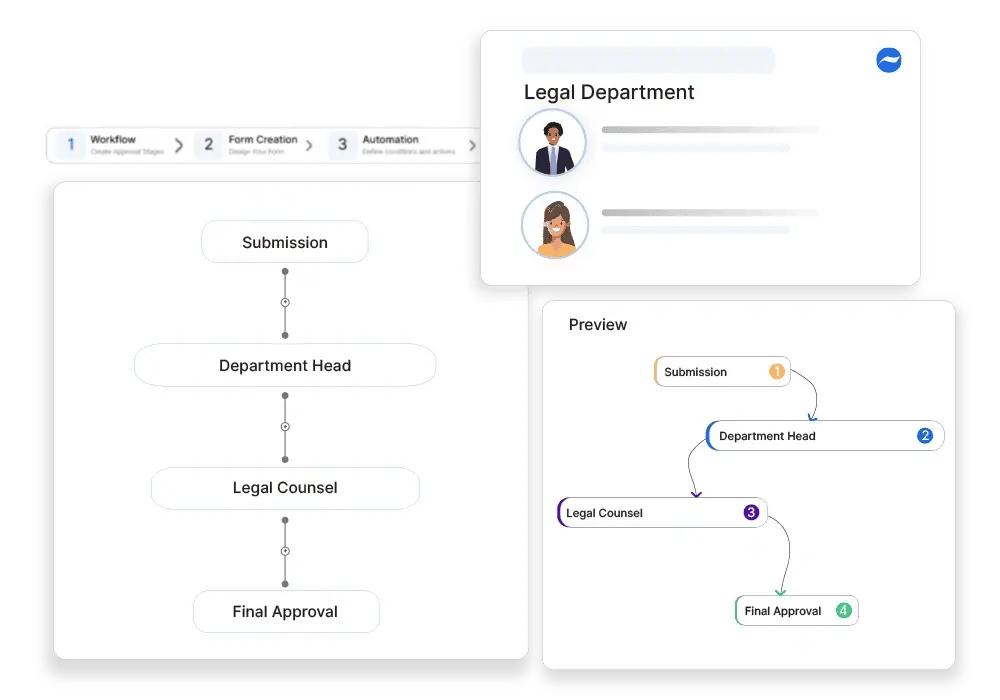
Image Source: Cflow
HR departments face their biggest problem when they try to keep policy documentation current. Companies can streamline processes by automating policy management workflows. This helps them communicate company policies systematically about ethics, security, and governance.
Key Fields in Policy Memos
Every effective policy memo should contain:
- Date and addressing information (to/from/subject)
- Executive summary with key findings
- Background context that shows importance
- Analysis backed by data and evidence
- Clear, practical recommendations
- A summary of the most important points
Policy Memo Automation Workflow
We started by creating standardized templates that match your industry's needs. The next step connects other HR systems to pull data automatically. You'll need to set up approval workflows so documents reach the right stakeholders. The final step creates distribution systems to track who has seen and understood the policies.
Best Practices for Policy Updates
Your policies need clear, simple language that avoids confusing jargon. Charts and tables are a great way to get better understanding of complex information. Smart organizations review their policies yearly to stay relevant.
Common Policy Memo Mistakes
Organizations don't deal very well with regular policy reviews and updates, which leads to outdated information. Some policies include too many unnecessary details that take away from the main message. Poor version control leaves people confused about which policy is current.
Tools to Automate Policy Memos
MetricStream gives you a central place to store and map policies to regulations and requirements. The AirSlate platform provides self-service portals that create automated memos with compliance features. Rephrasely's Policy Memo Generator makes shared creation possible through customizable templates.
HR Compliance Reports
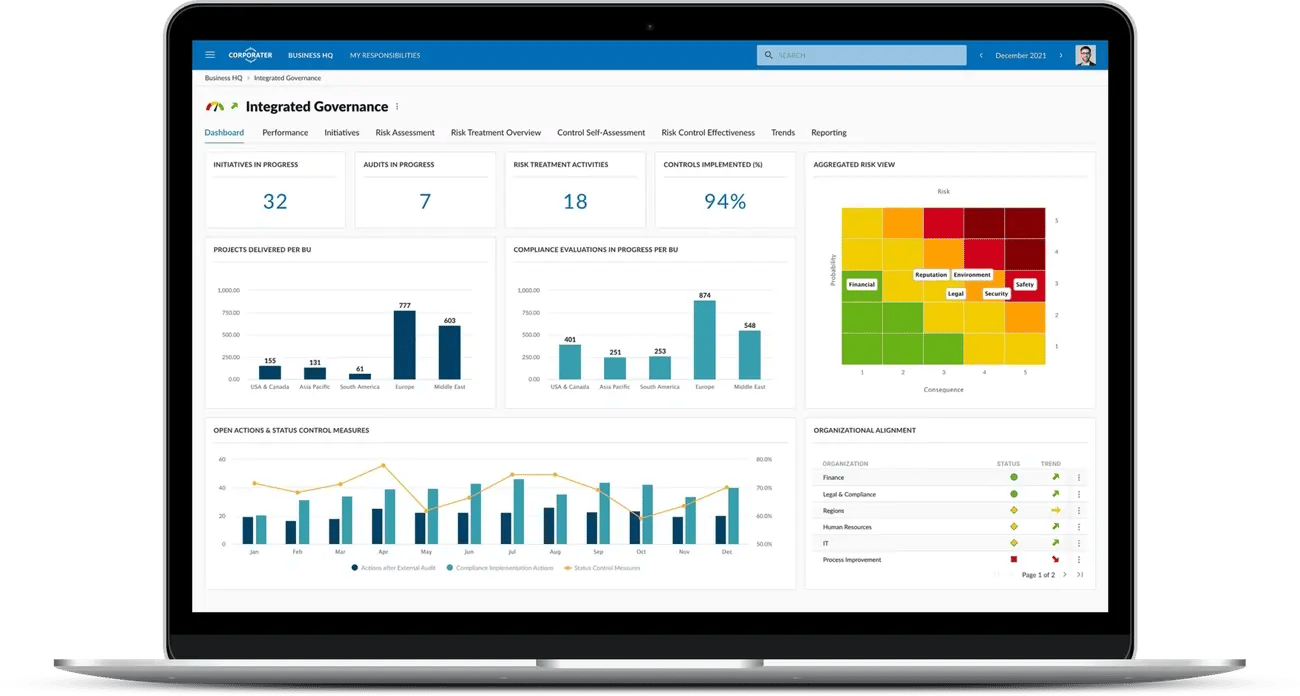
Image Source: Corporater
The SEC hit businesses hard with over INR 50628.27 million in non-compliance penalties in 2024 alone. HR compliance reporting automation helps organizations alleviate these risks by maintaining systematic records.
Key Fields in Compliance Reports
The critical elements you need include:
- Employee certification tracking
- Training completion records
- Labor law adherence documentation
- Regulatory deadlines monitoring
- Audit-ready documentation trails
Compliance Report Automation Workflow
The automation process starts by storing all employee data in one secure system. The system then tracks expiration dates, sends alerts about upcoming deadlines, and creates reports whenever auditors or leadership need them.
Best Practices for Compliance
Your organization should use standard report templates that capture consistent data points. On top of that, you need a compliance reporting calendar that matches regulatory cycles. Of course, keeping all your reporting in one place helps eliminate data silos between departments.
Common Compliance Mistakes
Most organizations struggle with detailed documentation—the foundation of defensible compliance. They often lack immediate monitoring capabilities to track changing regulations. Many companies collect data but never use it to take meaningful action.
Tools to Automate Compliance Reports
UKG offers AI guidance and automation tools that work in more than 40 countries. MetricStream provides centralized repositories with uninterrupted regulatory mapping. SixFifty creates location-specific compliance documentation that matches current laws automatically.
Internal HR Announcements
Communication is the life-blood that makes HR operations work. Your workforce will stay informed about critical updates, events, and policies through automated internal announcements.
Key Fields in HR Announcements
Each announcement needs a descriptive title and specific content details. The core team should include start/end dates, target audience selections (department or job position), and any attachments needed.
HR Announcement Automation Workflow
The process starts with mail automation configuration using trigger conditions like "On Create." Recipient filters help messages reach only relevant employees. The next step involves setting conditions based on announcement type—general or specific. Templates that automatically fill with announcement content complete the creation process.
Best Practices for Announcements
Messages should be clear and concise with proper formatting. Documents can be attached at the time they are needed. Setting the right expiration dates will prevent outdated information from filling employee dashboards.
Common Announcement Mistakes
Employee attention gets wasted through mass communications without proper targeting. Messages sent at the wrong time are often missed as daily work takes priority.
Tools to Automate HR Announcements
Pyn lets you schedule hundreds of messages days, months, maybe even years ahead. The Horilla HRMS system provides filtered recipient targeting and efficient creation processes. OpenHRMS gives you detailed announcement modules that handle document attachments.
Conclusion
Automation changes HR document creation from a tedious task into a competitive edge. These 15 essential HR documents—from offer letters to termination notices—now take minutes instead of hours or days to create. Your HR teams can focus on employee engagement and strategic initiatives by saving 4 hours weekly on paperwork.
Automated document creation delivers advantages beyond saving time. Quality improvements, compliance protection, and unified employee communications reduce organizational risk substantially. Companies cut document creation time by 80% while improving quality—exactly what overworked HR departments need.
Modern automation tools now handle documentation throughout the employee journey. HR teams can manage everything from recruitment through onboarding, performance reviews, policy changes, and offboarding with ease. Each step becomes more professional, smoother, and less likely to have expensive mistakes.
AI-powered customization will make HR automation more sophisticated by 2025. Documents will adapt to each employee's specific situation. Smart HR leaders will use these tools not just to improve efficiency but to gain an edge in the talent market.
Want to revolutionize your HR document processes? Pick your most time-consuming document tasks and automate them for quick results. Once you see the impact, you'll question how your team worked without these powerful tools.
Trusted by 330+ CHROs
See why global HR teams rely on Amber to listen, act, and retain their best people.
